How to Create a Google Business Profile
If your
business does not yet have a Google Business Profile or social media accounts, setting them up is the first step to building your online presence.

Step 1: Start by Visiting Google Business
The first step is to go to the official Google Business website at https://www.google.com/business/. Once there, look for the option to add your business. This button will take you to the setup process where you will enter your business details.
Enter Your Business Name
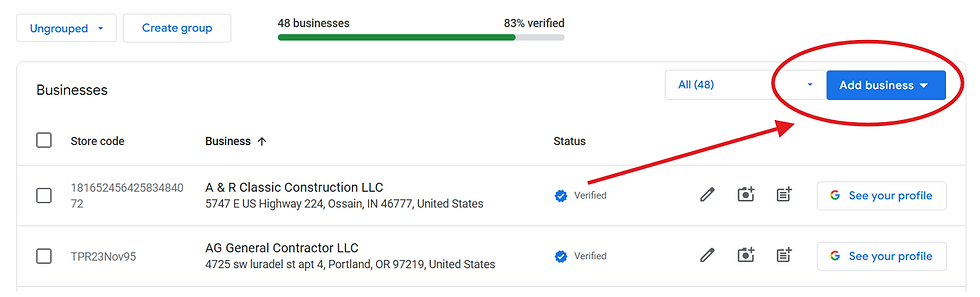
Type your business name exactly as you want it to appear to customers. If your business does not show up in the search results, select the option to create a business with this name. This ensures your profile is unique and tailored to your brand.
Choose the Right Business Category
Selecting the correct category is important because it helps Google show your business to the right audience. For example, if you run a plumbing service, choose “plumber.” If you operate a hair salon, select “salon.” This step improves your chances of appearing in relevant local searches.

Add Your Location Details
You need to specify whether your business serves customers at a physical location or if you provide services in a specific area.
If customers visit your business location, enter your full address and select “yes” to confirm.
If you offer services at customer locations or online, choose the option to specify your service area instead.
Providing accurate location information helps customers find you easily and improves your local search ranking.

Provide Contact Information
Add your phone number and website URL if you have one. These details allow customers to contact you directly or learn more about your offerings. Make sure your phone number is active and your website is up to date to create a positive impression.

Verify Your Business
Verification is a crucial step that confirms your business is legitimate. After you add photos, a description, services, and business hours, Google will prompt you to verify your profile. The most common verification method is by mail, where Google sends a postcard with a code to your business address. Other methods may include phone or email verification, depending on your business type and location.
Completing verification unlocks all features of your profile and ensures your business appears in Google Search and Maps.

Tips for Optimizing Your Google Business Profile
Once your profile is set up and verified, keep it updated with fresh content. Add high-quality photos of your business, update your hours during holidays, and respond to customer reviews. These actions build trust and encourage more people to choose your business.
Use clear, concise descriptions of your services.
Upload photos that showcase your products, team, or storefront.
Regularly check and update your contact information.
Final Thoughts
Creating a Google Business Profile is a simple yet powerful way to increase your business’s online visibility and connect with local customers. By following these steps, you ensure your business stands out in search results and provides essential information to potential clients. Take the time to complete your profile fully and keep it current to maximize its benefits. Start today and watch your online presence grow.